Bulk Operations
Cumulus implements bulk operations through the use of AsyncOperations, which are long-running processes executed on an AWS ECS cluster.
Submitting a bulk API request
Bulk operations are generally submitted via the endpoint for the relevant data type, e.g. granules. For a list of supported API requests, refer to the Cumulus API documentation. Bulk operations are denoted with the keyword 'bulk'.
Starting bulk operations from the Cumulus dashboard
Using a Kibana query
You must have configured your dashboard build with a KIBANAROOT environment variable in order for the Kibana link to render in the bulk granules modal.
- From the Granules dashboard page, click on the "Run Bulk Granules" button, then select what type of action you would like to perform.
The rest of the process is the same regardless of what type of bulk action you perform.
-
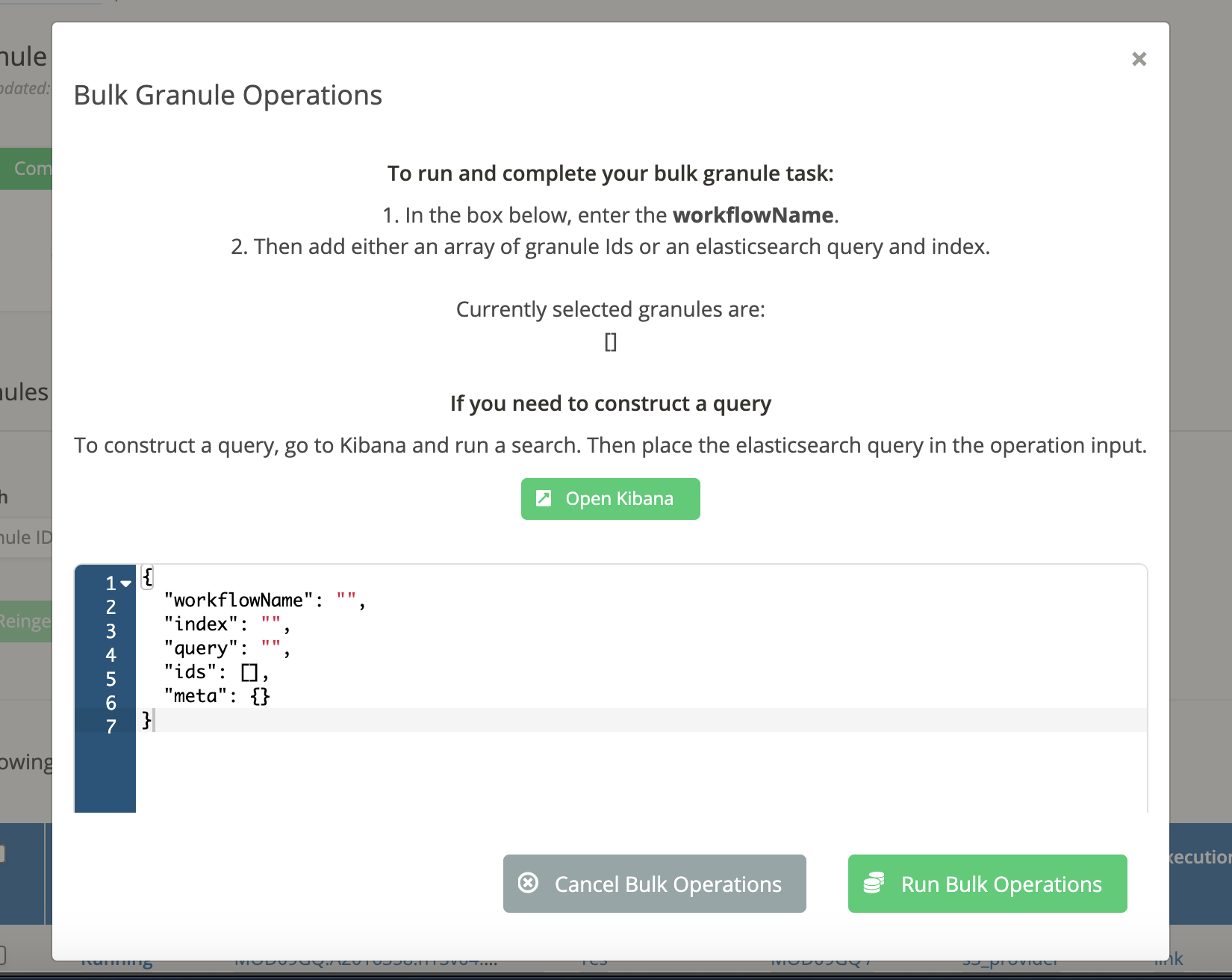
From the bulk granules modal, click the "Open Kibana" link:
-
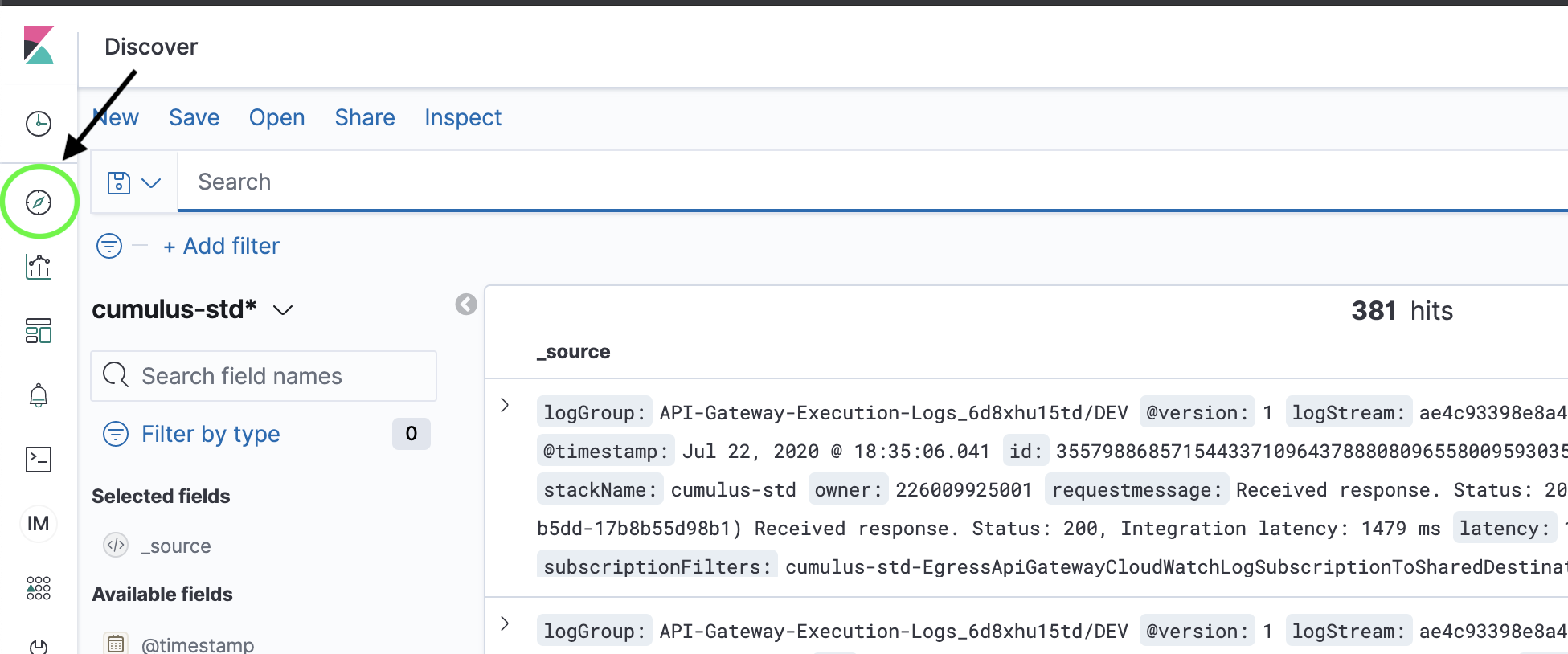
Once you have accessed Kibana, navigate to the "Discover" page. If this is your first time using Kibana, you may see a message like this at the top of the page:
In order to visualize and explore data in Kibana, you'll need to create an index pattern to retrieve data from Elasticsearch.In that case, see the docs for creating an index pattern for Kibana
-
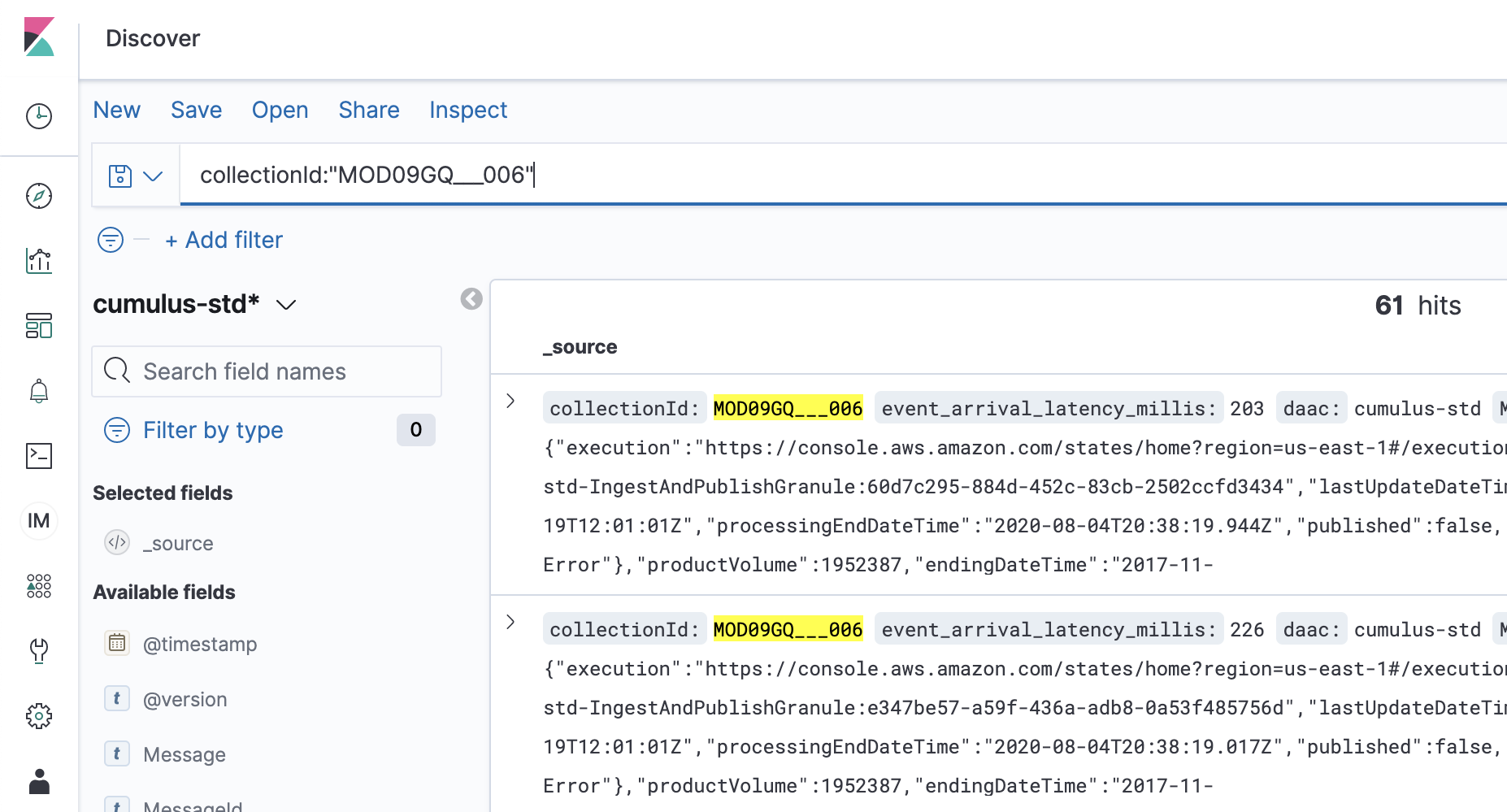
Enter a query that returns the granule records that you want to use for bulk operations:
-
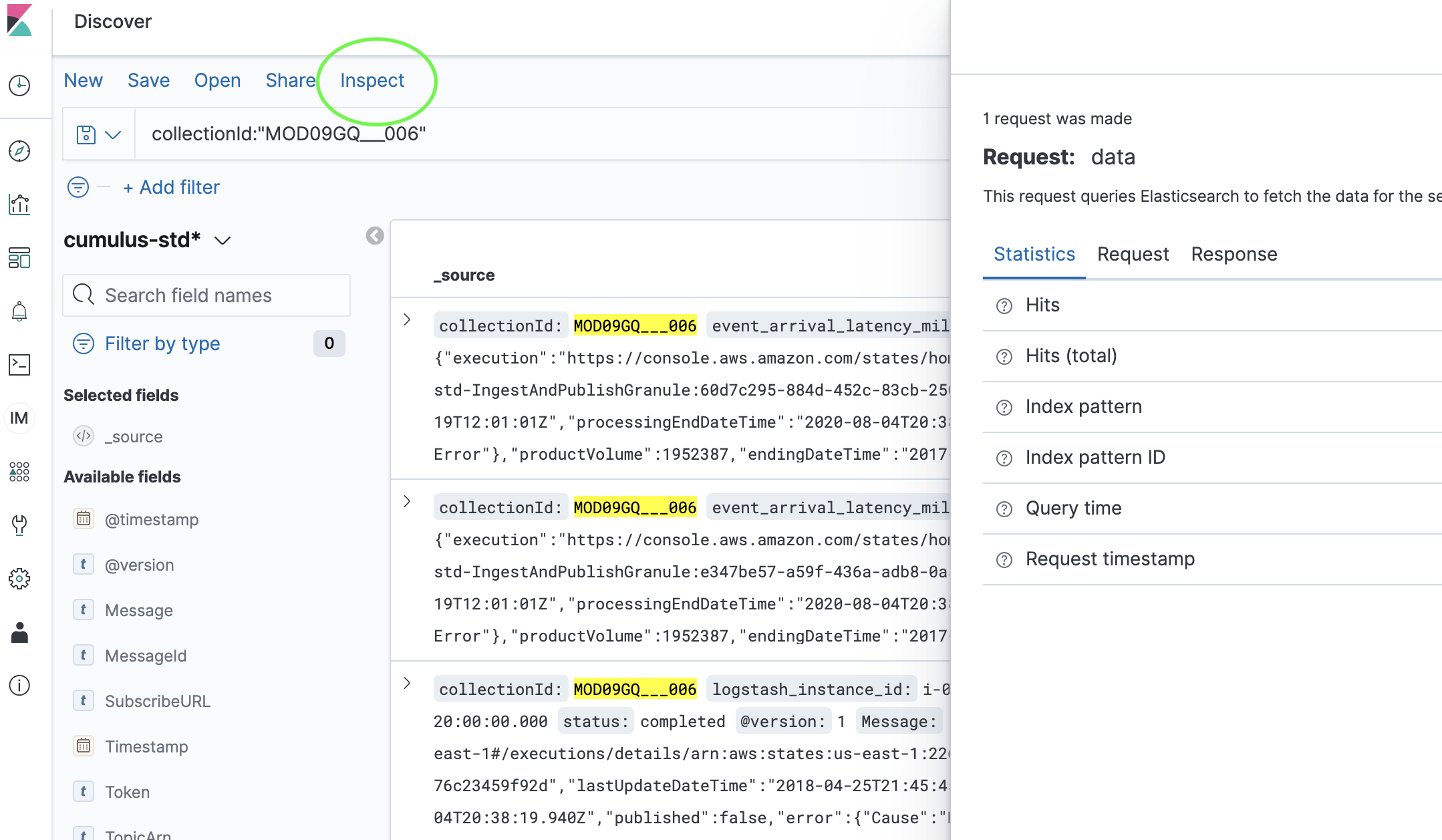
Once the Kibana query is returning the results you want, click the "Inspect" link near the top of the page. A slide out tab with request details will appear on the right side of the page:
-
In the slide out tab that appears on the right side of the page, click the "Request" link near the top and scroll down until you see the
queryproperty: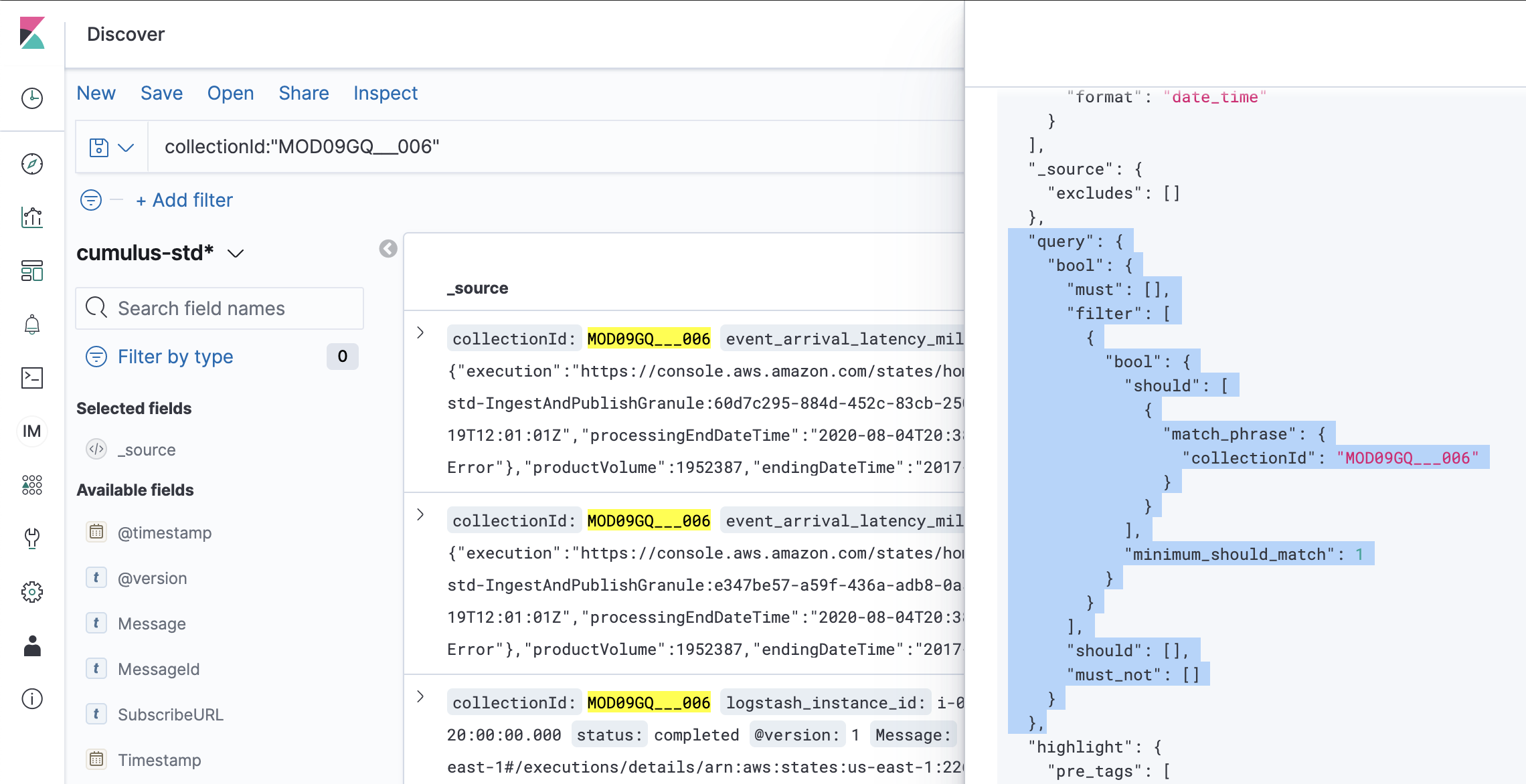
-
Highlight and copy the
querycontents from Kibana. Go back to the Cumulus dashboard and paste thequerycontents from Kibana inside of thequeryproperty in the bulk granules request payload. It is expected that you should have a property ofquerynested inside of the existingqueryproperty: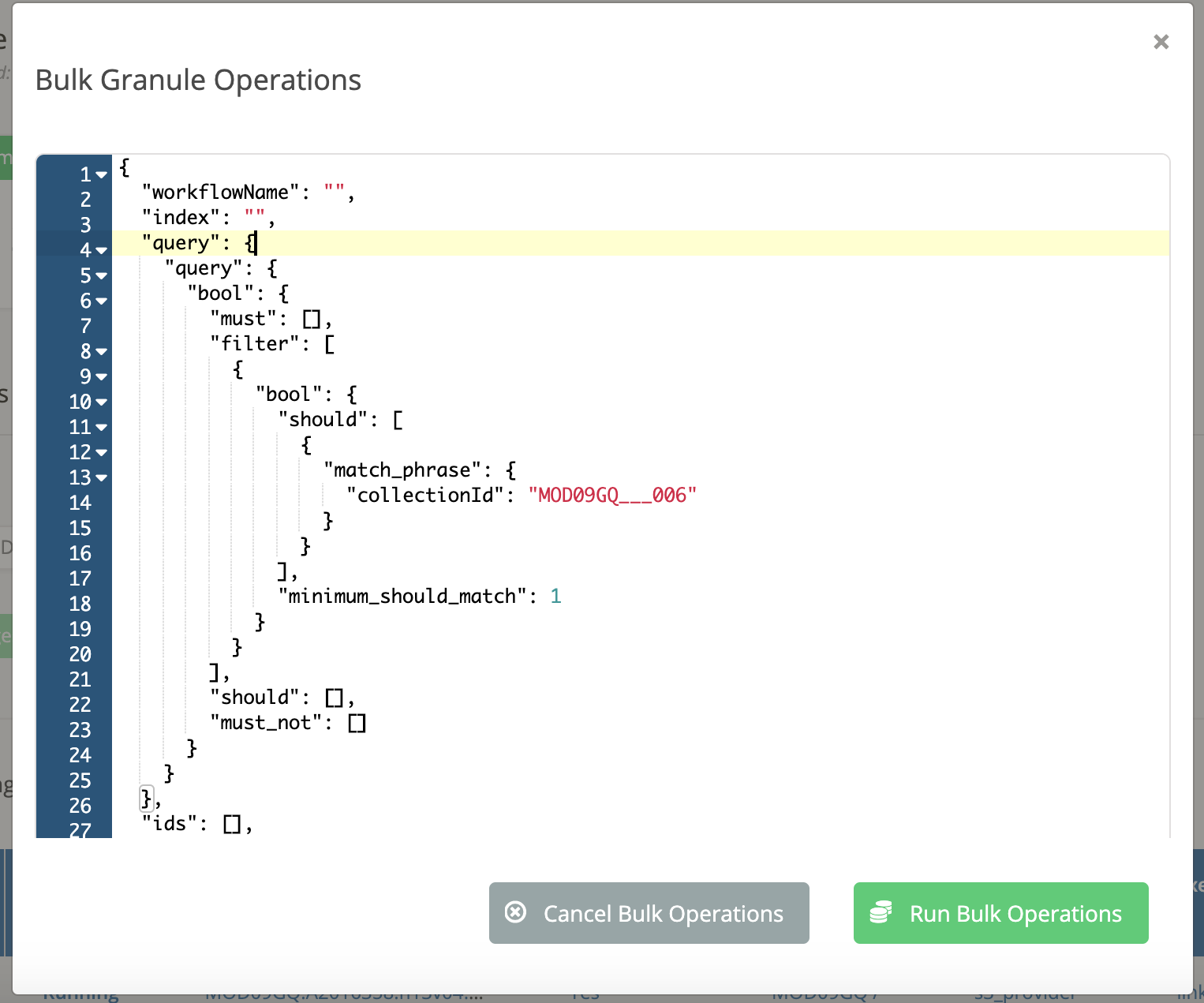
-
Add values for the
indexandworkflowNameto the bulk granules request payload. The value forindexwill vary based on your Elasticsearch setup, but it is good to target an index specifically for granule data if possible: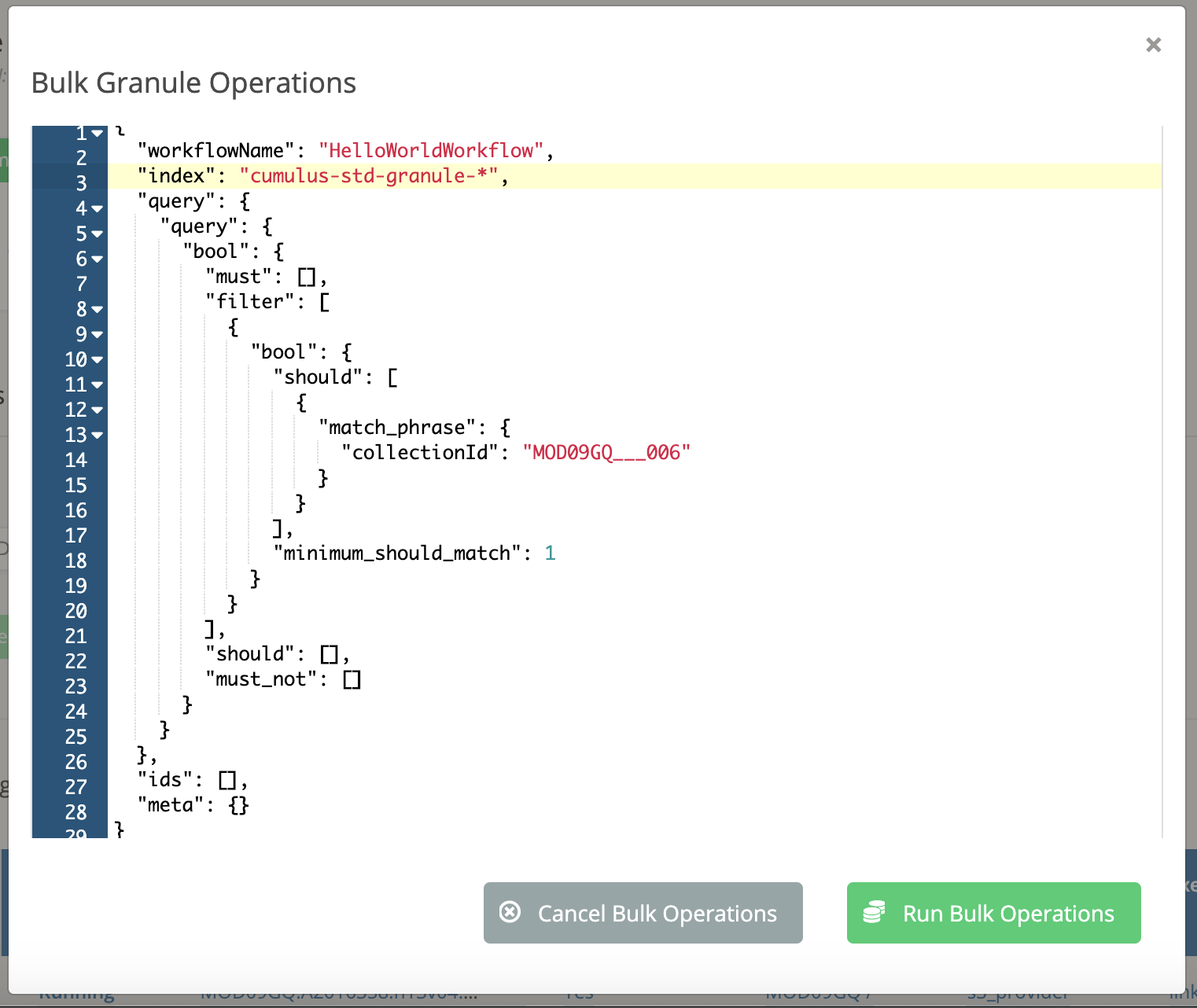
-
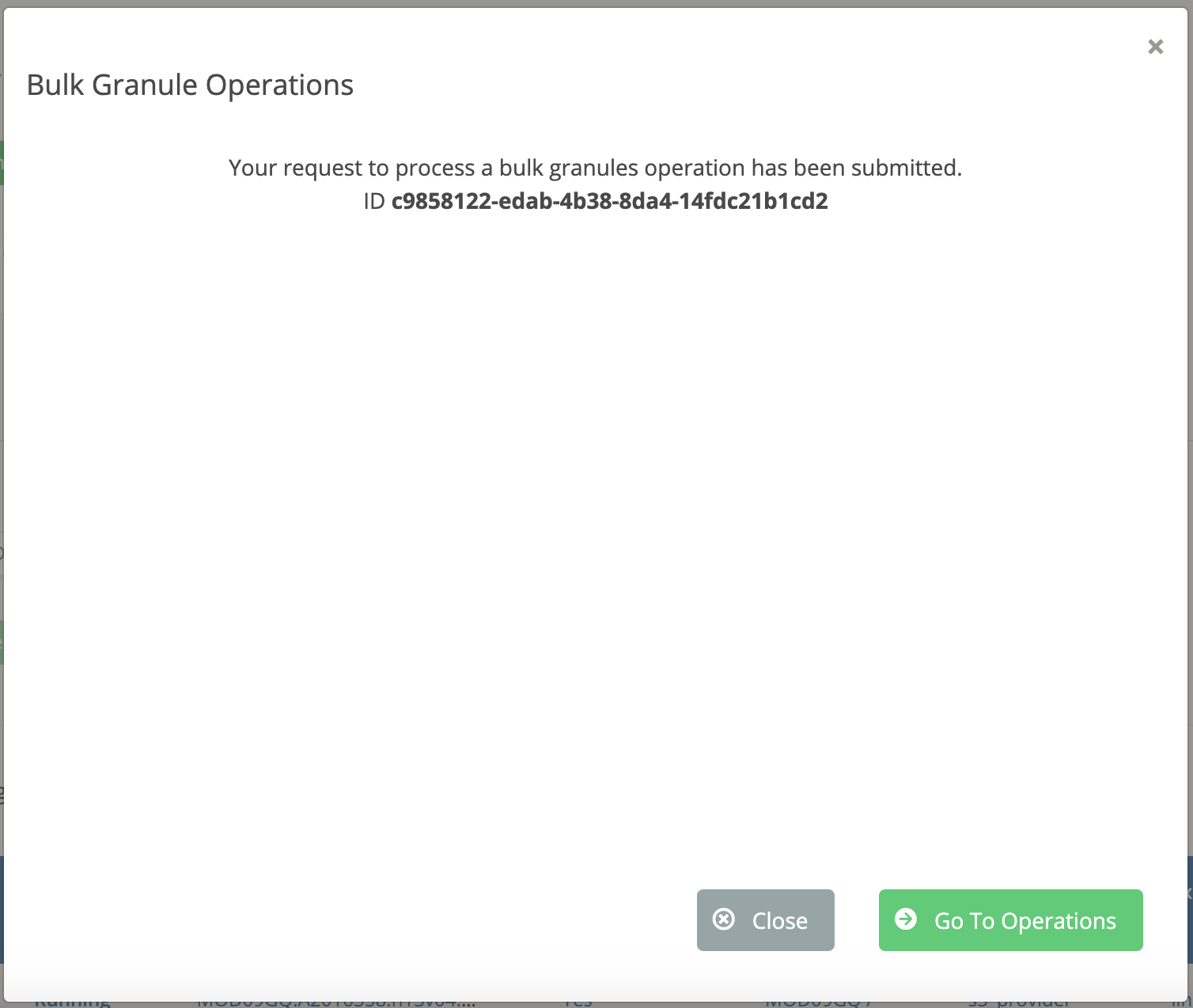
Click the "Run Bulk Operations" button. You should see a confirmation message, including an ID for the async operation that was started to handle your bulk action. You can track the status of this async operation on the Operations dashboard page, which can be visited by clicking the "Go To Operations" button:
Creating an index pattern for Kibana
-
Define the index pattern for the indices that your Kibana queries should use. A wildcard character,
*, will match across multiple indices. Once you are satisfied with your index pattern, click the "Next step" button: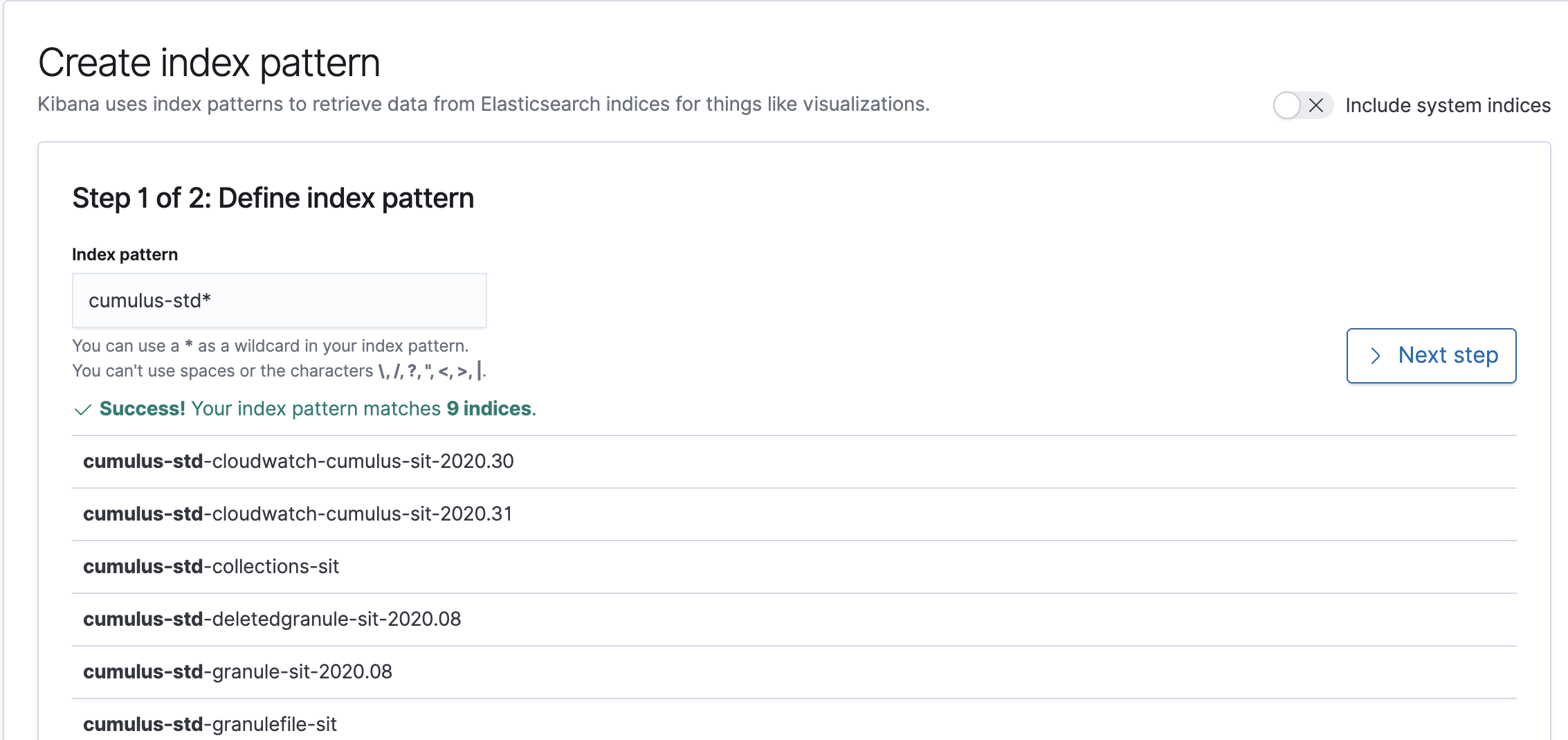
-
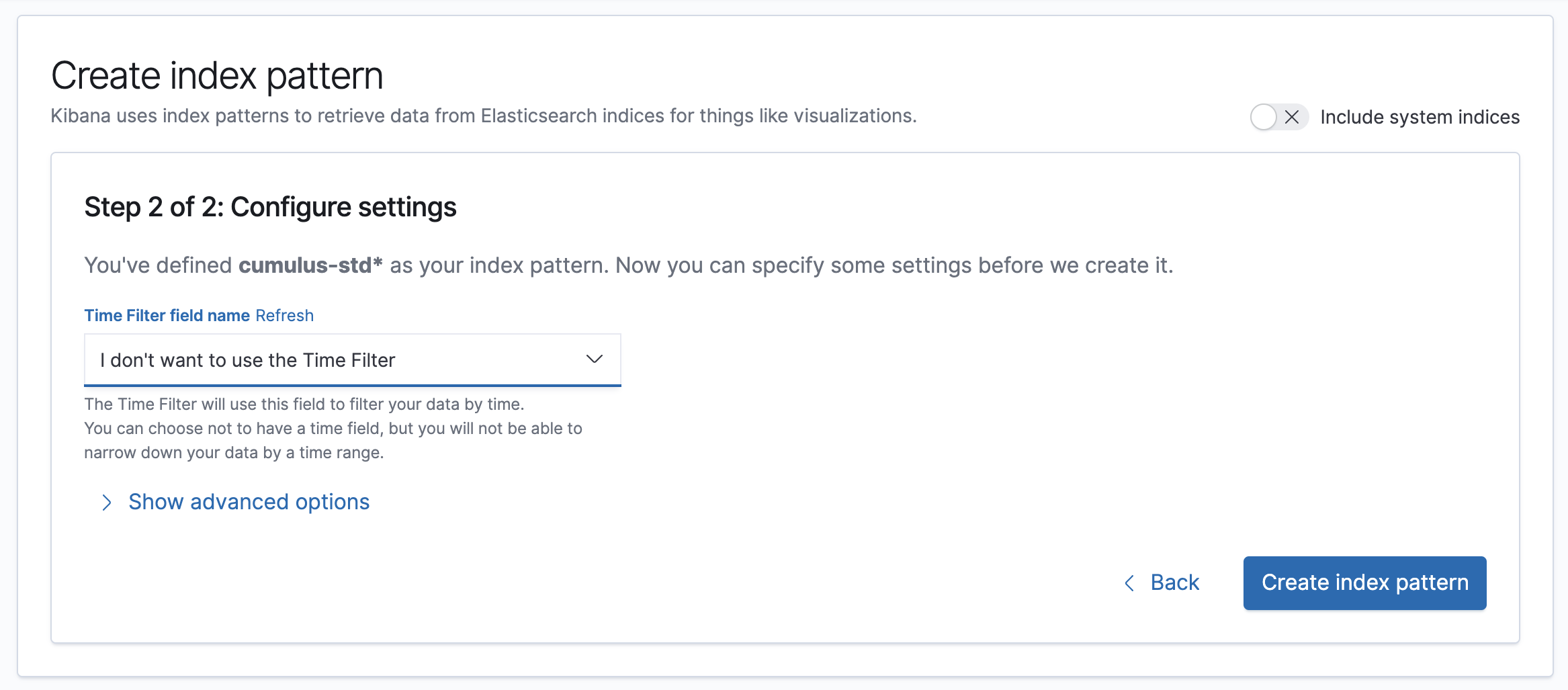
Choose whether to use a Time Filter for your data, which is not required. Then click the "Create index pattern" button:
Status Tracking
All bulk operations return an AsyncOperationId which can be submitted to the /asyncOperations endpoint.
The /asyncOperations endpoint allows listing of AsyncOperation records as well as record retrieval for individual records, which will contain the status.
The Cumulus API documentation shows sample requests for these actions.
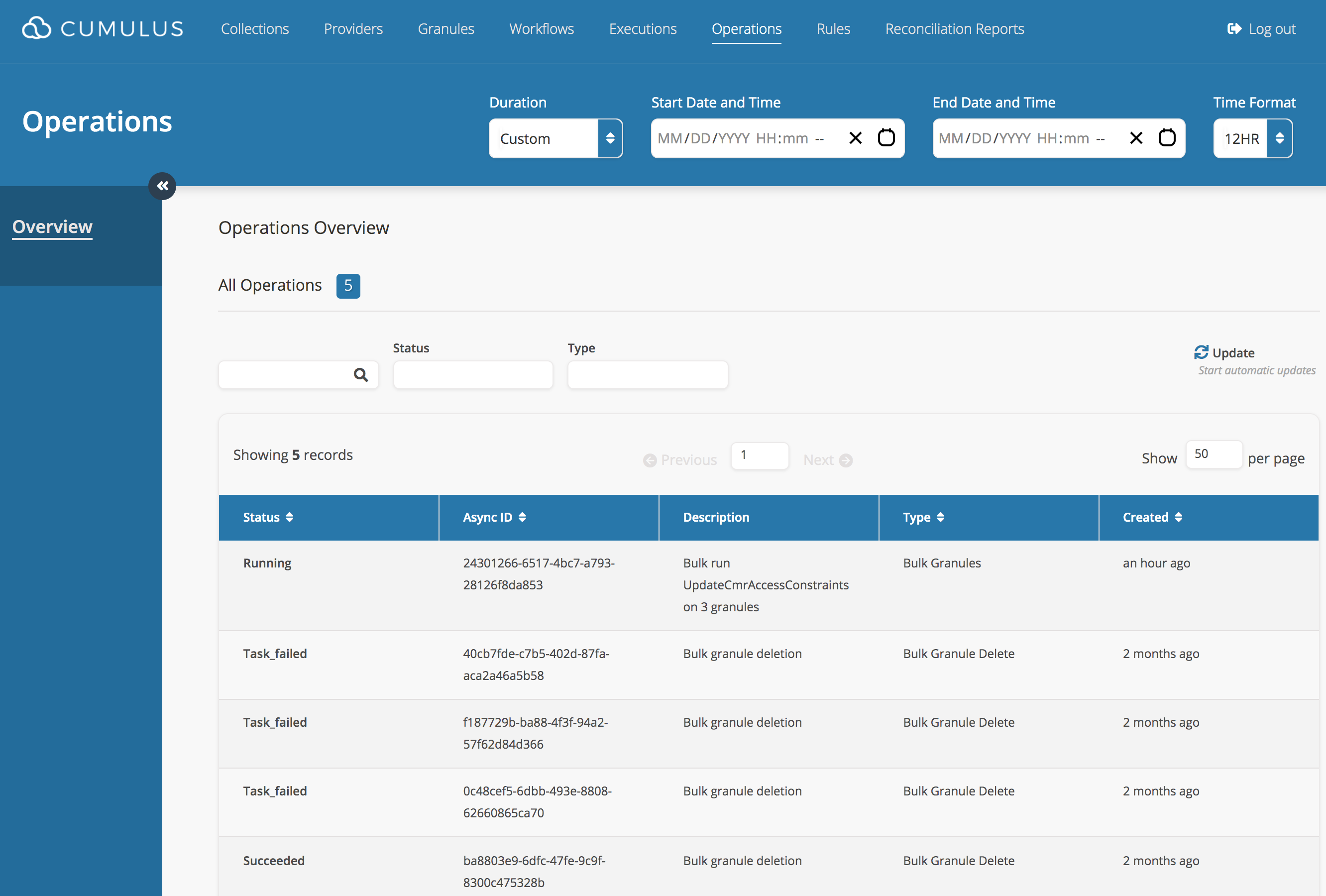
The Cumulus Dashboard also includes an Operations monitoring page, where operations and their status are visible:
Async Operation Statuses
Async Operations have a status that is output and stored in the Postgres database and can be viewed there or via the Cumulus Dashboard. These status are as follows:
RUNNER_FAILED: Occurs if the parent ECS runner erors out due to a failure to fetch the lambda function or the ECS runner failed to fetch or delete the lambda payload.
RUNNING: Occurs when an ECS async operation was successfully started.
SUCCEEDED: Occurs whenever a the lambda task completes regardless of lambda task output. This can occur even if the output of the lambda contains error messages that were output gracefully by the lambda task, like if a bulk operation coplete with errors in the output. The wrapper completed execution and the 'SUCCEEDED' status is written.
TASK_FAILED : When the lambda task being run inside the ECS task errors out, or a failure occurs from parsing the lambda payload.