Granule Workflows
Failed Granule
Delete and Ingest
- Delete Granule
note
Granules published to CMR will need to be removed from CMR via the dashboard prior to deletion.
- Ingest Granule via Ingest Rule
- Re-trigger a one-time, kinesis, SQS, or SNS rule or a scheduled rule will re-discover and reingest the deleted granule.
Reingest
- Select Failed Granule
- In the Cumulus dashboard, go to the
Collectionspage. - Use search field to find the granule.
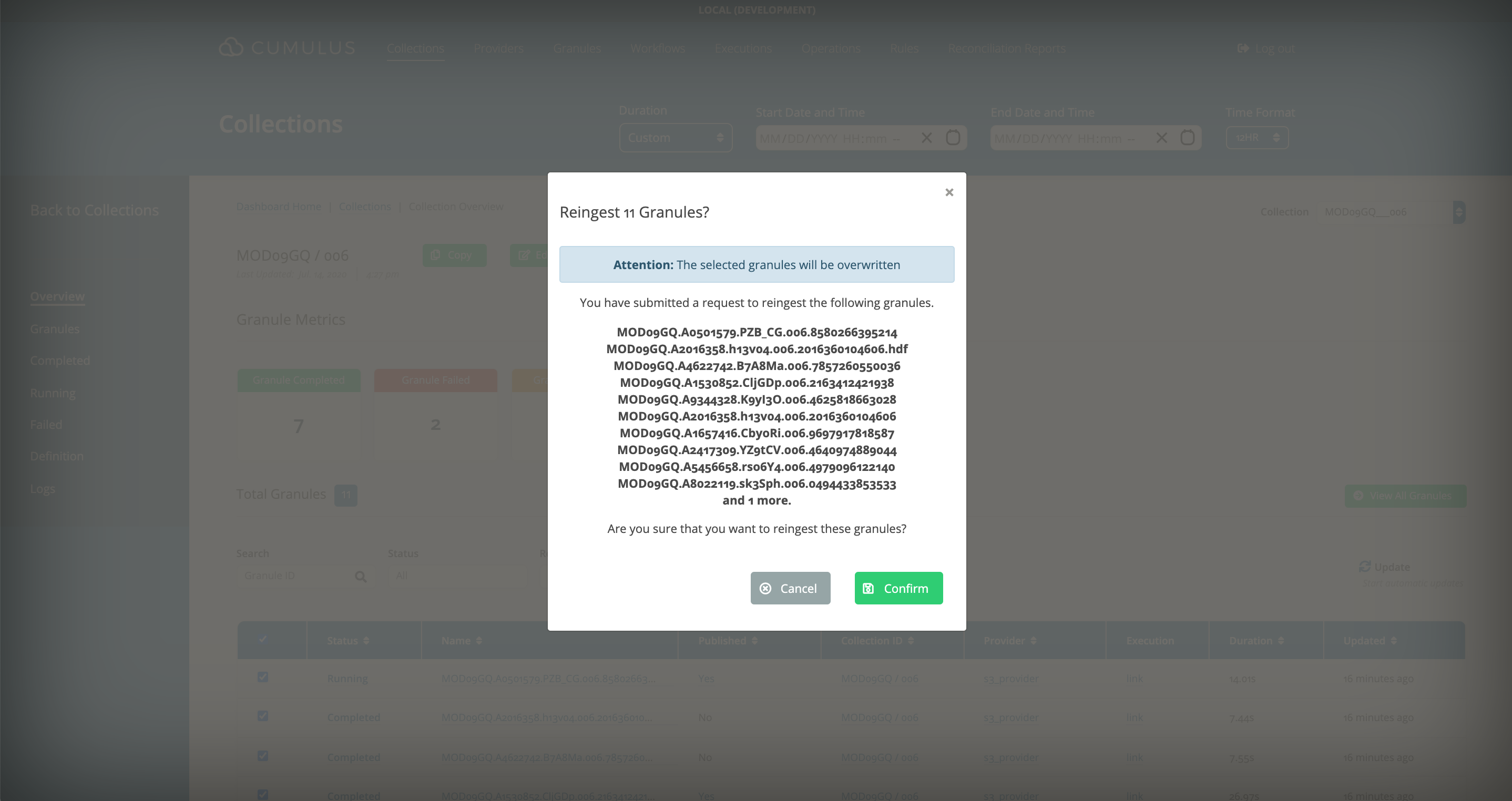
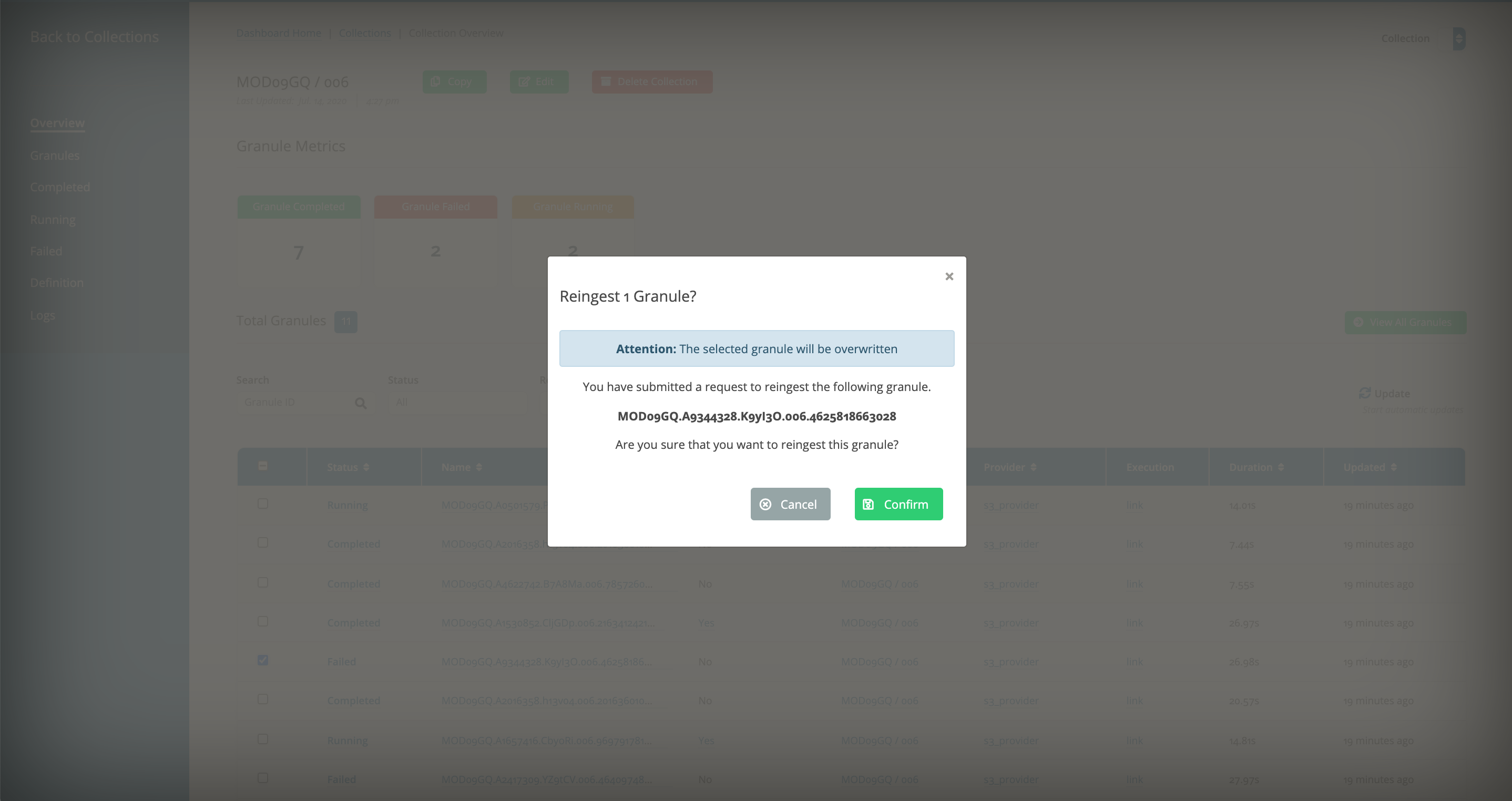
- Re-ingest Granule
- Go to the
Collectionspage. - Click on
Reingestand a modal will pop up for your confirmation.
Delete and Ingest
- Bulk Delete Granules
- Go to the
Granulespage. - Use the
Bulk Deletebutton to bulk delete selected granules or select via a Kibana query
tip
You can optionally force deletion from CMR.
- Ingest Granules via Ingest Rule
- Re-trigger one-time, kinesis, SQS, or SNS rules or scheduled rules will re-discover and reingest the deleted granule.
Multiple Failed Granules
- Select Failed Granules
- In the Cumulus dashboard, go to the
Collectionspage. - Click on
Failed Granules. - Select multiple granules.
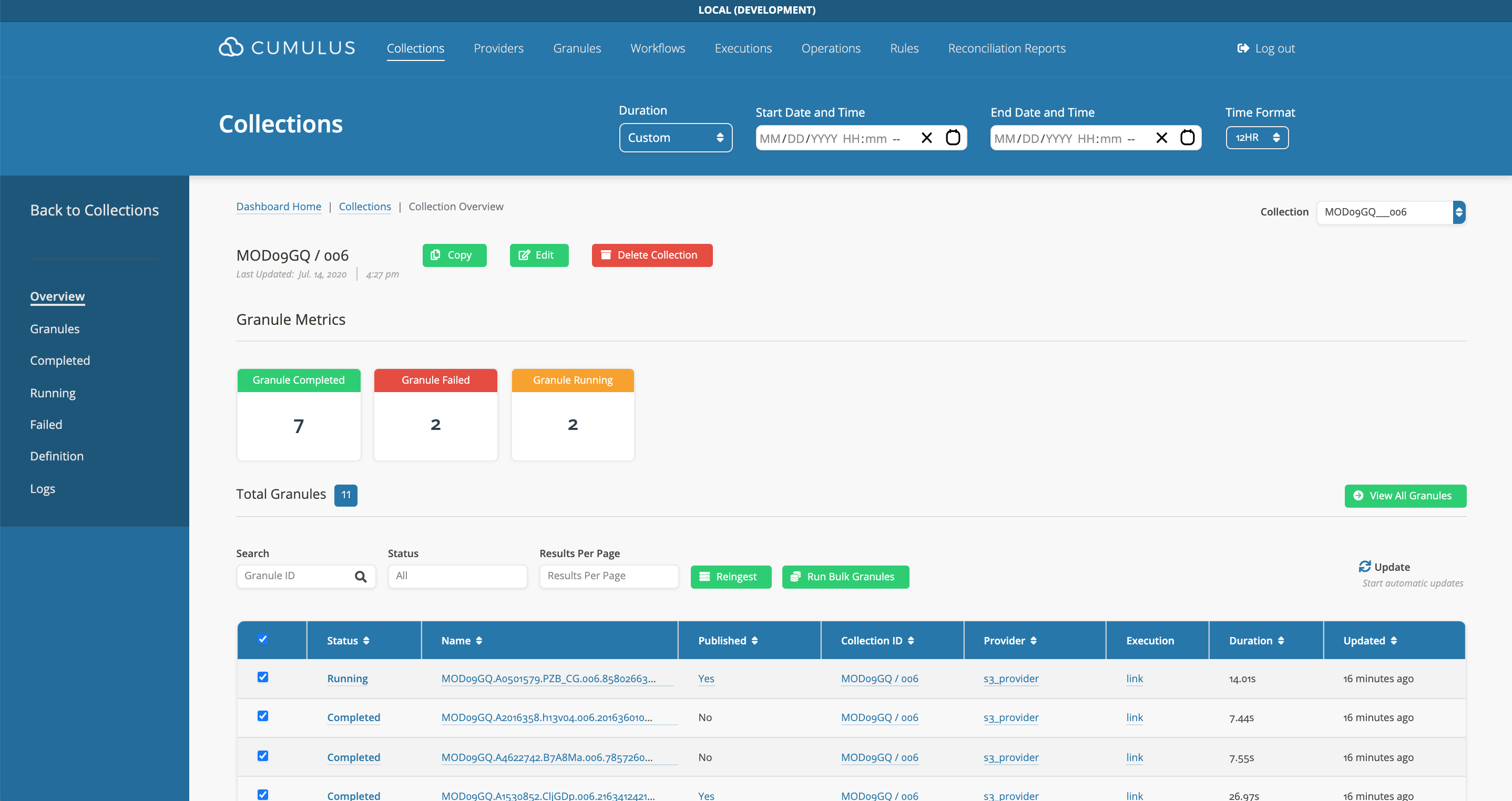
- Bulk Re-ingest Granules
- Click on
Reingestand a modal will pop up for your confirmation.