Cumulus Data Management Types
What Are The Cumulus Data Management Types
Collections: Collections are logical sets of data objects of the same data type and version. They provide contextual information used by Cumulus ingest.Granules: Granules are the smallest aggregation of data that can be independently managed. They are always associated with a collection, which is a grouping of granules.Providers: Providers generate and distribute input data that Cumulus obtains and sends to workflows.Rules: Rules tell Cumulus how to associate providers and collections and when/how to start processing a workflow.Workflows: Workflows are composed of one or more AWS Lambda Functions and ECS Activities to discover, ingest, process, manage, and archive data.Executions: Executions are records of a workflow.Reconciliation Reports: Reports are a comparison of data sets to check to see if they are in agreement and to help Cumulus users detect conflicts.
Interaction
- Providers tell Cumulus where to get new data - i.e. S3, HTTPS
- Collections tell Cumulus where to store the data files
- Rules tell Cumulus when to trigger a workflow execution and tie providers and collections together
Managing Data Management Types
The following are created via the dashboard or API:
- Providers
- Collections
- Rules
- Reconciliation reports
Granules are created by workflow executions and then can be managed via the dashboard or API.
An execution record is created for each workflow execution triggered and can be viewed in the dashboard or data can be retrieved via the API.
Workflows are created and managed via the Cumulus deployment.
Configuration Fields
Schemas
Looking at our API schema definitions can provide us with some insight into collections, providers, rules, and their attributes (and whether those are required or not). The schema for different concepts will be reference throughout this document.
The schemas are extremely useful for understanding which attributes are configurable and which of those are required. Cumulus uses these schemas for validation.
Providers
- Provider schema (
module.exports.provider) - Provider API
- Sample provider configurations
- While connection configuration is defined here, things that are more specific to a specific ingest setup (e.g. 'What target directory should we be pulling from' or 'How is duplicate handling configured?') are generally defined in a Rule or Collection, not the Provider.
- There is some provider behavior which is controlled by task-specific configuration and not the provider definition. This configuration has to be set on a per-workflow basis. For example, see the
httpListTimeoutconfiguration on thediscover-granulestask
Provider Configuration
The Provider configuration is defined by a JSON object that takes different configuration keys depending on the provider type. The following are definitions of typical configuration values relevant for the various providers:
Configuration by provider type
S3
| Key | Type | Required | Description |
|---|---|---|---|
| id | string | Yes | Unique identifier for the provider |
| globalConnectionLimit | integer | No | Integer specifying the connection limit for the provider. This is the maximum number of connections Cumulus compatible ingest lambdas are expected to make to a provider. Defaults to unlimited |
| protocol | string | Yes | The protocol for this provider. Must be s3 for this provider type. |
| host | string | Yes | S3 Bucket to pull data from |
http
| Key | Type | Required | Description |
|---|---|---|---|
| id | string | Yes | Unique identifier for the provider |
| globalConnectionLimit | integer | No | Integer specifying the connection limit for the provider. This is the maximum number of connections Cumulus compatible ingest lambdas are expected to make to a provider. Defaults to unlimited |
| protocol | string | Yes | The protocol for this provider. Must be http for this provider type |
| host | string | Yes | The host to pull data from (e.g. nasa.gov) |
| username | string | No | Configured username for basic authentication. Cumulus encrypts this using KMS and uses it in a Basic auth header if needed for authentication |
| password | string | Only if username is specified | Configured password for basic authentication. Cumulus encrypts this using KMS and uses it in a Basic auth header if needed for authentication |
| port | integer | No | Port to connect to the provider on. Defaults to 80 |
| allowedRedirects | string[] | No | Only hosts in this list will have the provider username/password forwarded for authentication. Entries should be specified as host.com or host.com:7000 if redirect port is different than the provider port. |
| certificateUri | string | No | SSL Certificate S3 URI for custom or self-signed SSL (TLS) certificate |
https
| Key | Type | Required | Description |
|---|---|---|---|
| id | string | Yes | Unique identifier for the provider |
| globalConnectionLimit | integer | No | Integer specifying the connection limit for the provider. This is the maximum number of connections Cumulus compatible ingest lambdas are expected to make to a provider. Defaults to unlimited |
| protocol | string | Yes | The protocol for this provider. Must be https for this provider type |
| host | string | Yes | The host to pull data from (e.g. nasa.gov) |
| username | string | No | Configured username for basic authentication. Cumulus encrypts this using KMS and uses it in a Basic auth header if needed for authentication |
| password | string | Only if username is specified | Configured password for basic authentication. Cumulus encrypts this using KMS and uses it in a Basic auth header if needed for authentication |
| port | integer | No | Port to connect to the provider on. Defaults to 443 |
| allowedRedirects | string[] | No | Only hosts in this list will have the provider username/password forwarded for authentication. Entries should be specified as host.com or host.com:7000 if redirect port is different than the provider port. |
| certiciateUri | string | No | SSL Certificate S3 URI for custom or self-signed SSL (TLS) certificate |
ftp
| Key | Type | Required | Description |
|---|---|---|---|
| id | string | Yes | Unique identifier for the provider |
| globalConnectionLimit | integer | No | Integer specifying the connection limit for the provider. This is the maximum number of connections Cumulus compatible ingest lambdas are expected to make to a provider. Defaults to unlimited |
| protocol | string | Yes | The protocol for this provider. Must be ftp for this provider type |
| host | string | Yes | The ftp host to pull data from (e.g. nasa.gov) |
| username | string | No | Username to use to connect to the ftp server. Cumulus encrypts this using KMS. Defaults to anonymous if not defined |
| password | string | No | Password to use to connect to the ftp server. Cumulus encrypts this using KMS. Defaults to password if not defined |
| port | integer | No | Port to connect to the provider on. Defaults to 21 |
sftp
| Key | Type | Required | Description |
|---|---|---|---|
| id | string | Yes | Unique identifier for the provider |
| globalConnectionLimit | integer | No | Integer specifying the connection limit for the provider. This is the maximum number of connections Cumulus compatible ingest lambdas are expected to make to a provider. Defaults to unlimited |
| protocol | string | Yes | The protocol for this provider. Must be sftp for this provider type |
| host | string | Yes | The ftp host to pull data from (e.g. nasa.gov) |
| username | string | No | Username to use to connect to the sftp server. |
| password | string | No | Password to use to connect to the sftp server. |
| port | integer | No | Port to connect to the provider on. Defaults to 22 |
| privateKey | string | No | filename assumed to be in s3://bucketInternal/stackName/crypto |
| cmKeyId | string | No | AWS KMS Customer Master Key arn or alias |
Collections
- Collection schema (
module.exports.collection) - Collection API
- Sample collection configurations
Break down of [s3_MOD09GQ_006.json](https://github.com/nasa/cumulus/blob/master/example/data/collections/s3_MOD09GQ_006/s3_MOD09GQ_006.json)
| Key | Value | Required | Description |
|---|---|---|---|
| name | "MOD09GQ" | Yes | The name attribute designates the name of the collection. This is the name under which the collection will be displayed on the dashboard |
| version | "006" | Yes | A version tag for the collection |
| granuleId | "^MOD09GQ\\.A[\\d]{7}\\.[\\S]{6}\\.006\\.[\\d]{13}$" | Yes | The regular expression used to validate the granule ID extracted from filenames according to the granuleIdExtraction |
| granuleIdExtraction | "(MOD09GQ\..*)(\.hdf|\.cmr|_ndvi\.jpg)" | Yes | The regular expression used to extract the granule ID from filenames. The first capturing group extracted from the filename by the regex will be used as the granule ID. |
| sampleFileName | "MOD09GQ.A2017025.h21v00.006.2017034065104.hdf" | Yes | An example filename belonging to this collection |
| files | <JSON Object> of files defined here | Yes | Describe the individual files that will exist for each granule in this collection (size, browse, meta, etc.) |
| dataType | "MOD09GQ" | No | Can be specified, but this value will default to the collection_name if not |
| duplicateHandling | "replace" | No | ("replace"|"version"|"skip") determines granule duplicate handling scheme |
| ignoreFilesConfigForDiscovery | false (default) | No | By default, during discovery only files that match one of the regular expressions in this collection's files attribute (see above) are ingested. Setting this to true will ignore the files attribute during discovery, meaning that all files for a granule (i.e., all files with filenames matching granuleIdExtraction) will be ingested even when they don't match a regular expression in the files attribute at discovery time. (NOTE: this attribute does not appear in the example file, but is listed here for completeness.) |
| process | "modis" | No | Example options for this are found in the ChooseProcess step definition in the IngestAndPublish workflow definition |
| meta | <JSON Object> of MetaData for the collection | No | MetaData for the collection. This metadata will be available to workflows for this collection via the Cumulus Message Adapter. |
| url_path | "{cmrMetadata.Granule.Collection.ShortName}/{substring(file.fileName, 0, 3)}" | No | Filename without extension |
files-object
| Key | Value | Required | Description |
|---|---|---|---|
| regex | "^MOD09GQ\\.A[\\d]{7}\\.[\\S]{6}\\.006\\.[\\d]{13}\\.hdf$" | Yes | Regular expression used to identify the file |
| sampleFileName | MOD09GQ.A2017025.h21v00.006.2017034065104.hdf" | Yes | Filename used to validate the provided regex |
| type | "data" | No | Value to be assigned to the Granule File Type. CNM types are used by Cumulus CMR steps, non-CNM values will be treated as 'data' type. Currently only utilized in DiscoverGranules task |
| bucket | "internal" | Yes | Name of the bucket where the file will be stored |
| url_path | "${collectionShortName}/{substring(file.fileName, 0, 3)}" | No | Folder used to save the granule in the bucket. Defaults to the collection url_path |
| checksumFor | "^MOD09GQ\\.A[\\d]{7}\\.[\\S]{6}\\.006\\.[\\d]{13}\\.hdf$" | No | If this is a checksum file, set checksumFor to the regex of the target file. |
Rules
- Rule schema (
module.exports.rule) - Rule API
- Sample Kinesis rule
- Sample SNS rule
- Sample SQS rule
Rules are used by to start processing workflows and the transformation process. Rules can be invoked manually, based on a schedule, or can be configured to be triggered by either events in Kinesis, SNS messages or SQS messages.
Rule configuration
| Key | Value | Required | Description |
|---|---|---|---|
| name | "L2_HR_PIXC_kinesisRule" | Yes | Name of the rule. This is the name under which the rule will be listed on the dashboard |
| workflow | "CNMExampleWorkflow" | Yes | Name of the workflow to be run. A list of available workflows can be found on the Workflows page |
| provider | "PODAAC_SWOT" | No | Configured provider's ID. This can be found on the Providers dashboard page |
| collection | <JSON Object> collection object shown below | Yes | Name and version of the collection this rule will moderate. Relates to a collection configured and found in the Collections page |
| payload | <JSON Object or Array> | No | The payload to be passed to the workflow |
| meta | <JSON Object> of MetaData for the rule | No | MetaData for the rule. This metadata will be available to workflows for this rule via the Cumulus Message Adapter. |
| rule | <JSON Object> rule type and associated values - discussed below | Yes | Object defining the type and subsequent attributes of the rule |
| state | "ENABLED" | No | ("ENABLED"|"DISABLED") whether or not the rule will be active. Defaults to "ENABLED". |
| queueUrl | https://sqs.us-east-1.amazonaws.com/1234567890/queue-name | No | URL for SQS queue that will be used to schedule workflows for this rule |
| tags | ["kinesis", "podaac"] | No | An array of strings that can be used to simplify search |
collection-object
| Key | Value | Required | Description |
|---|---|---|---|
| name | "L2_HR_PIXC" | Yes | Name of a collection defined/configured in the Collections dashboard page |
| version | "000" | Yes | Version number of a collection defined/configured in the Collections dashboard page |
meta-object
| Key | Value | Required | Description |
|---|---|---|---|
| retries | 3 | No | Number of retries on errors, for sqs-type rule only. Defaults to 3. |
| visibilityTimeout | 900 | No | VisibilityTimeout in seconds for the inflight messages, for sqs-type rule only. Defaults to the visibility timeout of the SQS queue when the rule is created. |
rule-object
| Key | Value | Required | Description |
|---|---|---|---|
| type | "kinesis" | Yes | ("onetime"|"scheduled"|"kinesis"|"sns"|"sqs") type of scheduling/workflow kick-off desired |
| value | <String> Object | Depends | Discussion of valid values is below |
rule-value
The rule - value entry depends on the type of run:
- If this is a onetime rule this can be left blank. Example
- If this is a scheduled rule this field must hold a valid cron-type expression or rate expression.
- If this is a kinesis rule, this must be a configured
${Kinesis_stream_ARN}. Example - If this is an sns rule, this must be an existing
${SNS_Topic_Arn}. Example - If this is an sqs rule, this must be an existing
${SQS_QueueUrl}that your account has permissions to access, and also you must configure a dead-letter queue for this SQS queue. Example
sqs-type rule features
- When an SQS rule is triggered, the SQS message remains on the queue.
- The SQS message is not processed multiple times in parallel when visibility timeout is properly set. You should set the visibility timeout to the maximum expected length of the workflow with padding. Longer is better to avoid parallel processing.
- The SQS message visibility timeout can be overridden by the rule.
- Upon successful workflow execution, the SQS message is removed from the queue.
- Upon failed execution(s), the workflow is run 3 or configured number of times.
- Upon failed execution(s), the visibility timeout will be set to 5s to allow retries.
- After configured number of failed retries, the SQS message is moved to the dead-letter queue configured for the SQS queue.
Configuration Via Cumulus Dashboard
Create A Provider
- In the Cumulus dashboard, go to the
Providerpage.
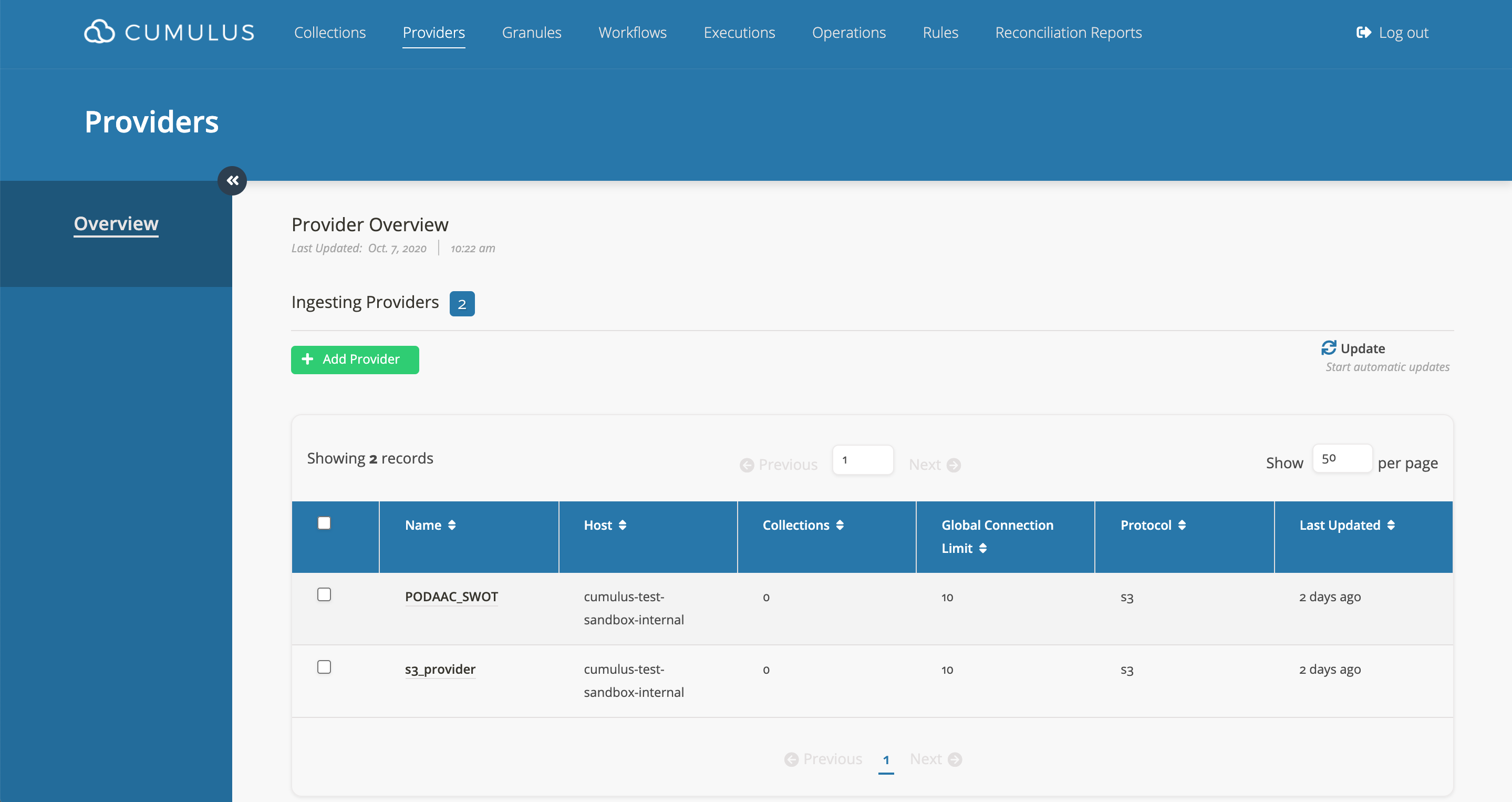
- Click on
Add Provider. - Fill in the form and then submit it.
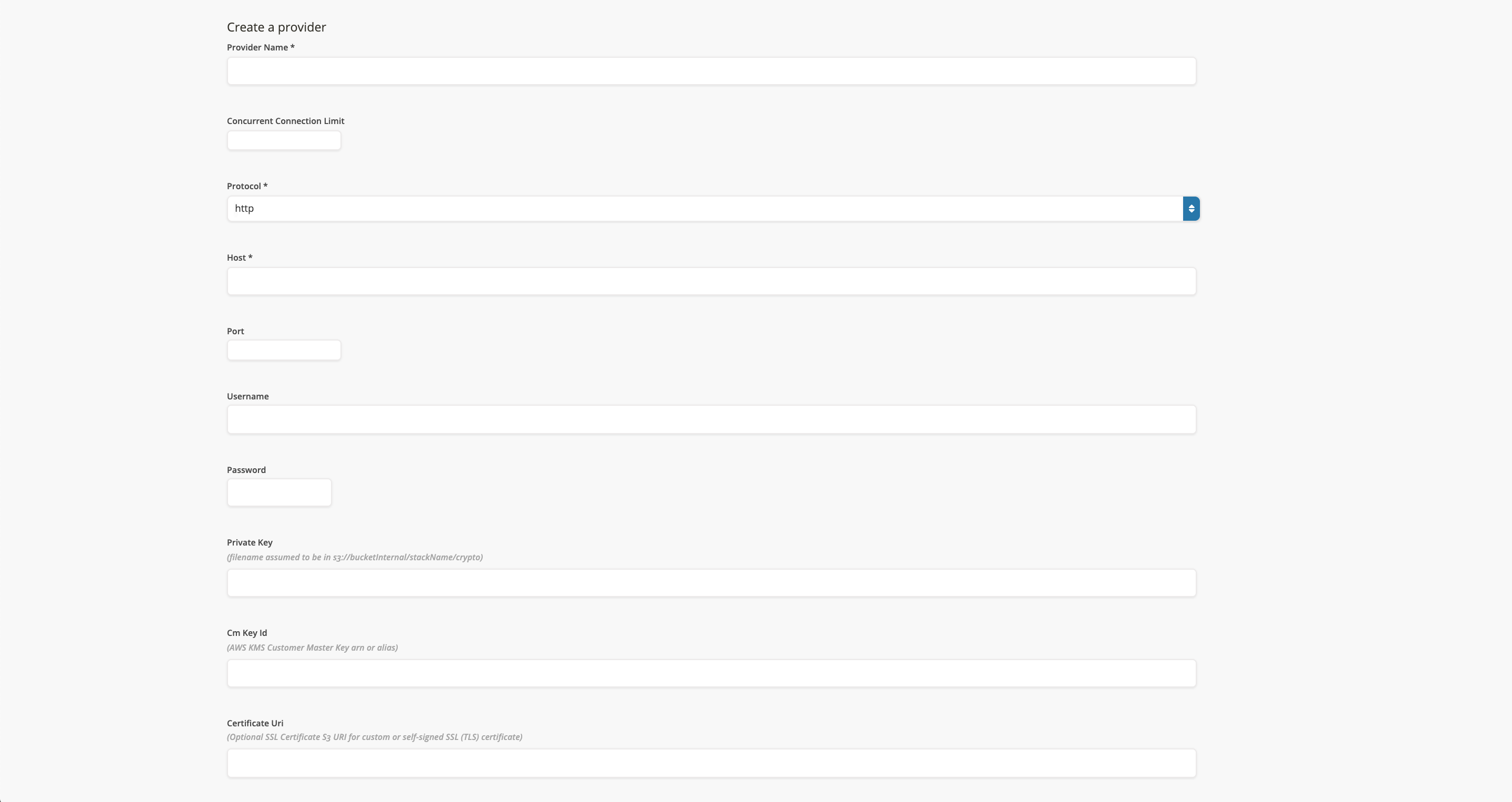
Create A Collection
- Go to the
Collectionspage.
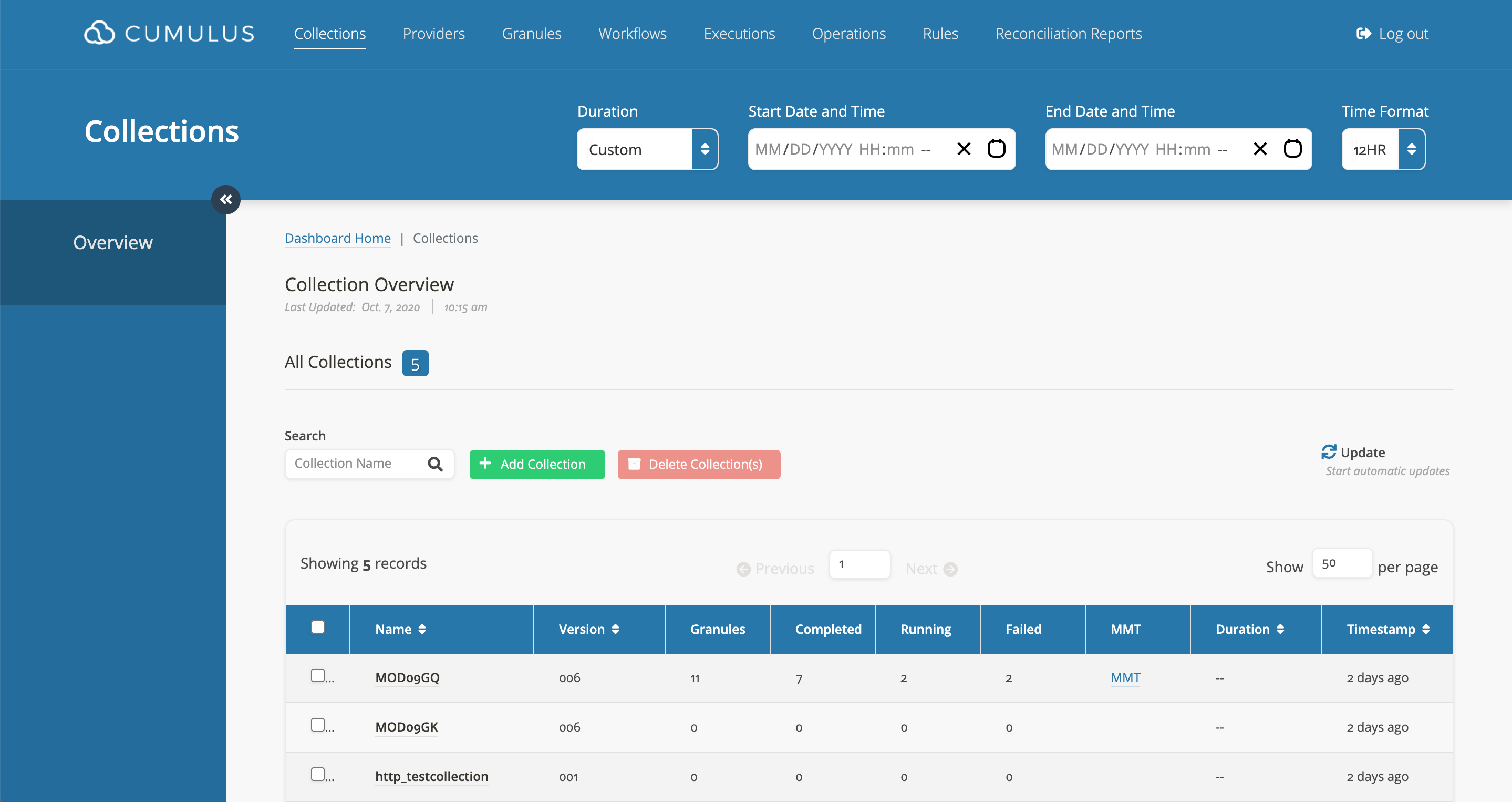
- Click on
Add Collection. - Copy and paste or fill in the collection JSON object form.
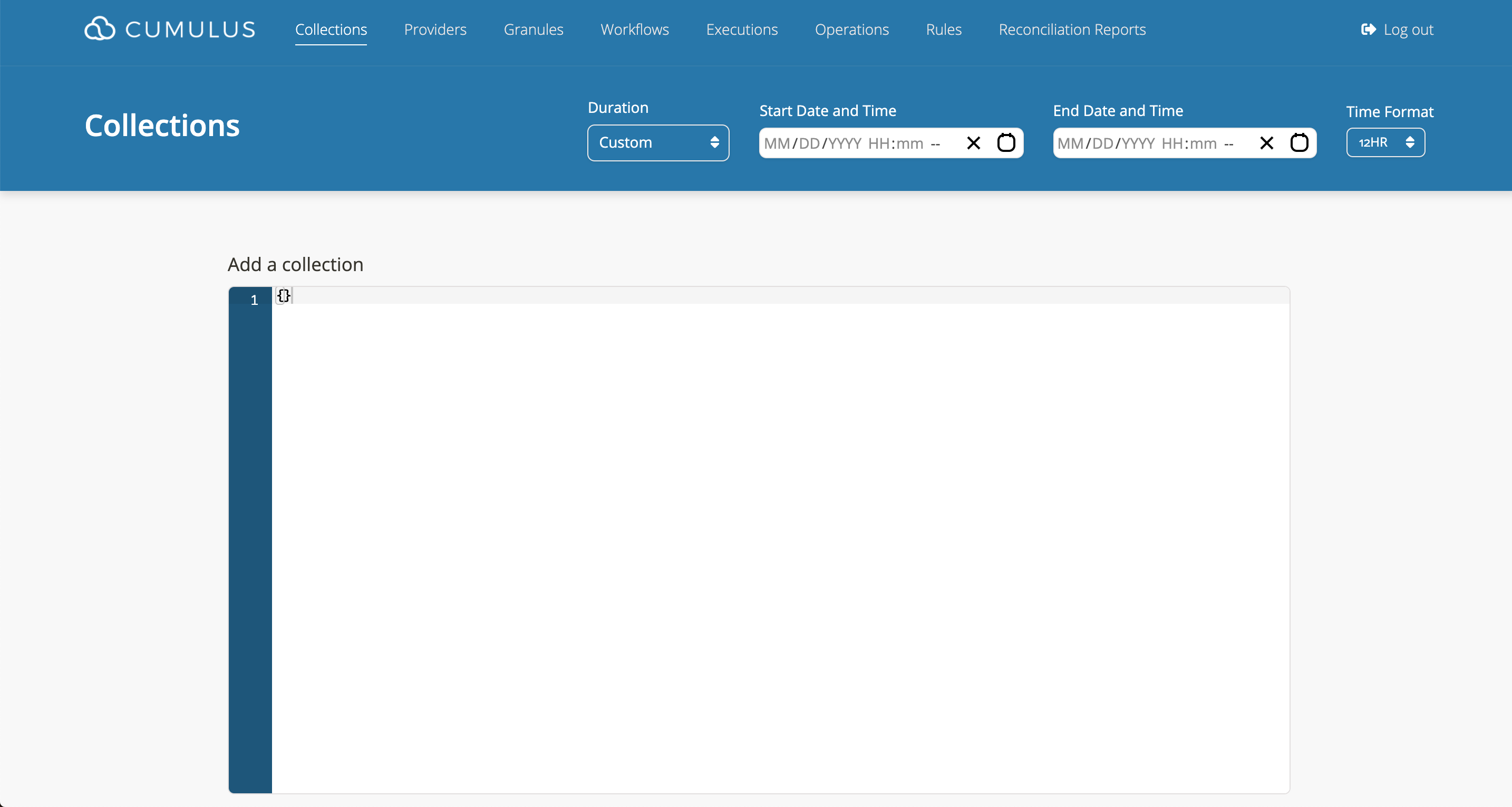
- Once you submit the form, you should be able to verify that your new collection is in the list.
Create A Rule
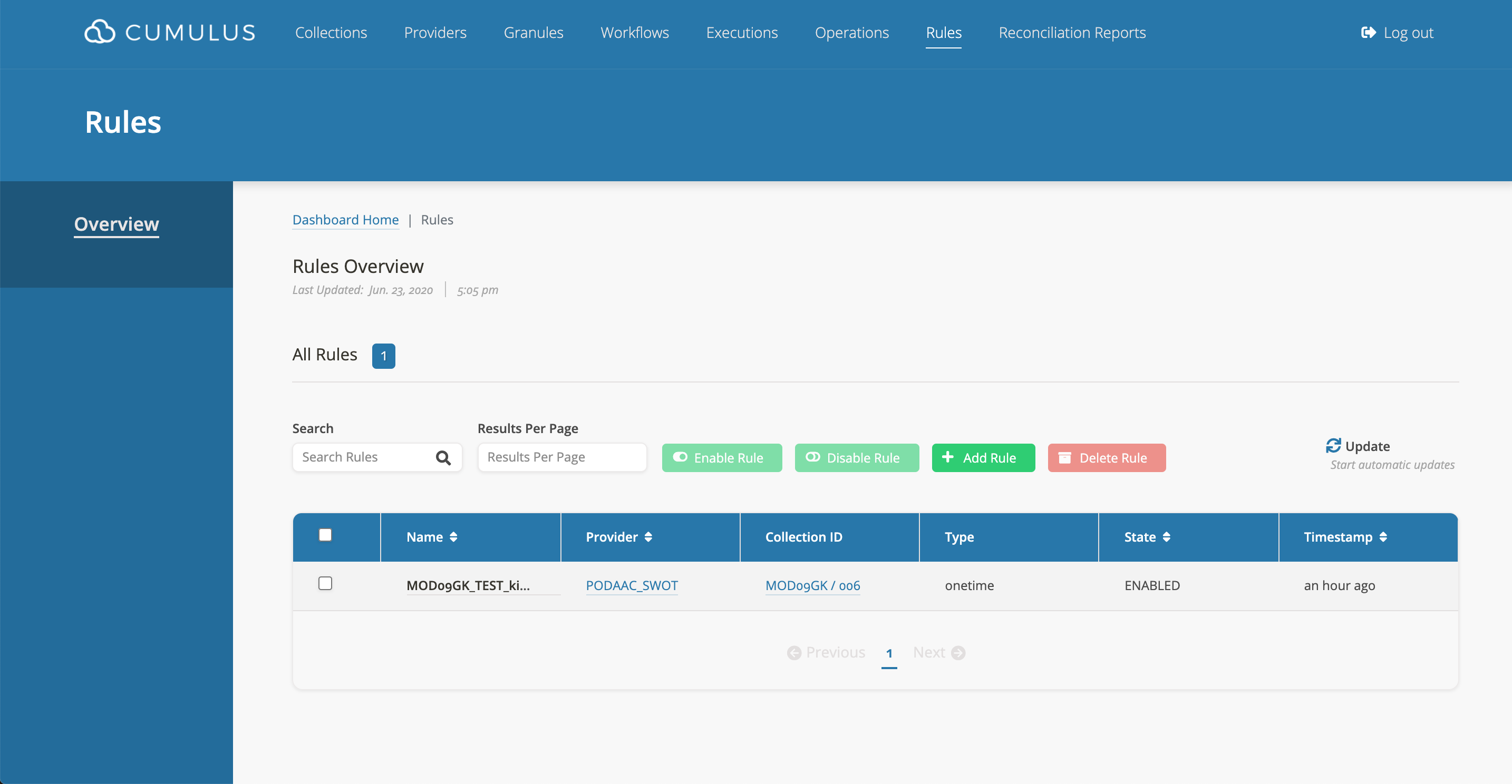
- Go To Rules Page
- Go to the Cumulus dashboard, click on
Rulesin the navigation. - Click
Add Rule.
- Complete Form
- Fill out the template form.
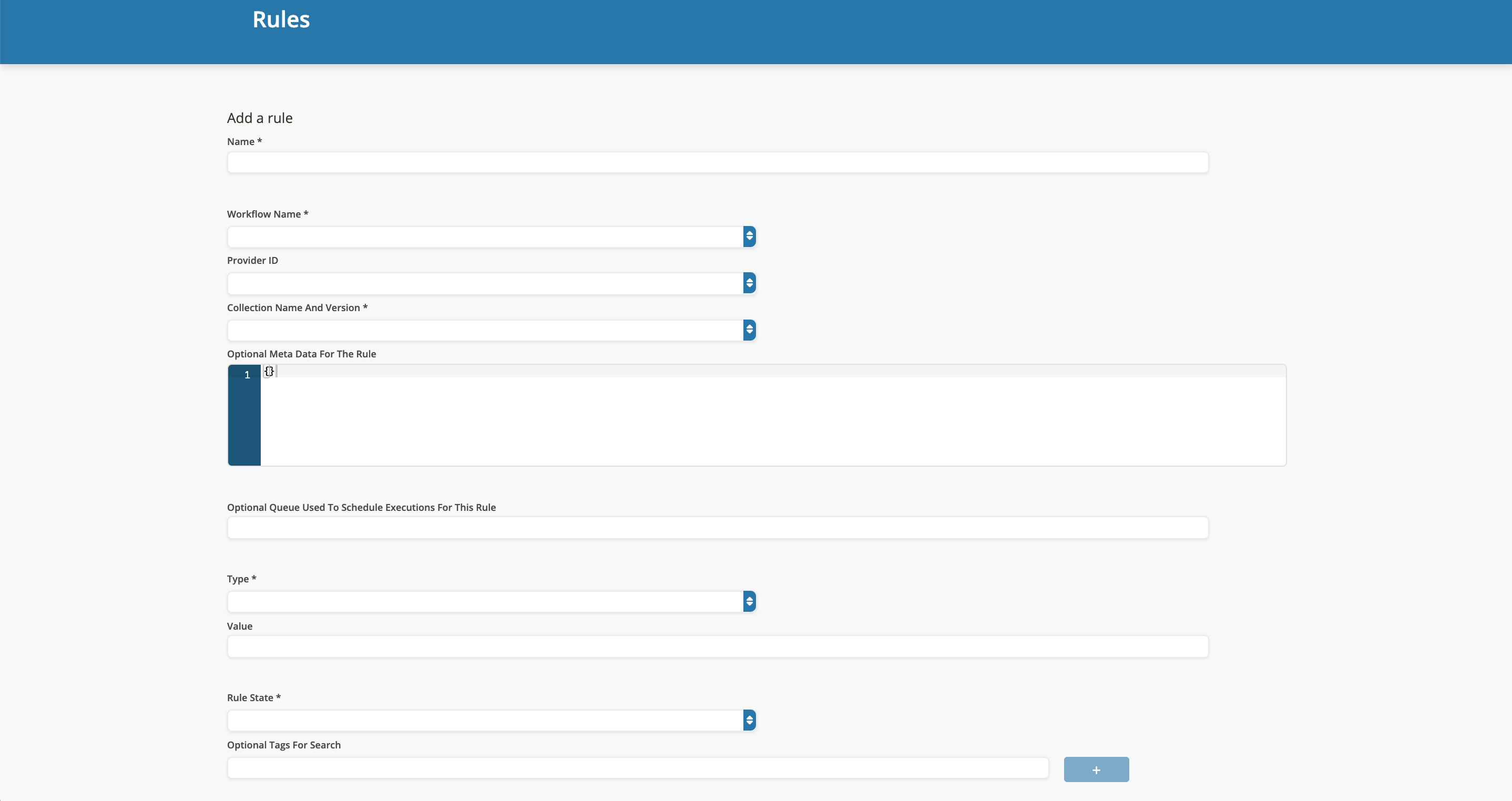
For more details regarding the field definitions and required information go to Data Cookbooks.
If the state field is left blank, it defaults to false.
Rule Examples
- A rule form with completed required fields:
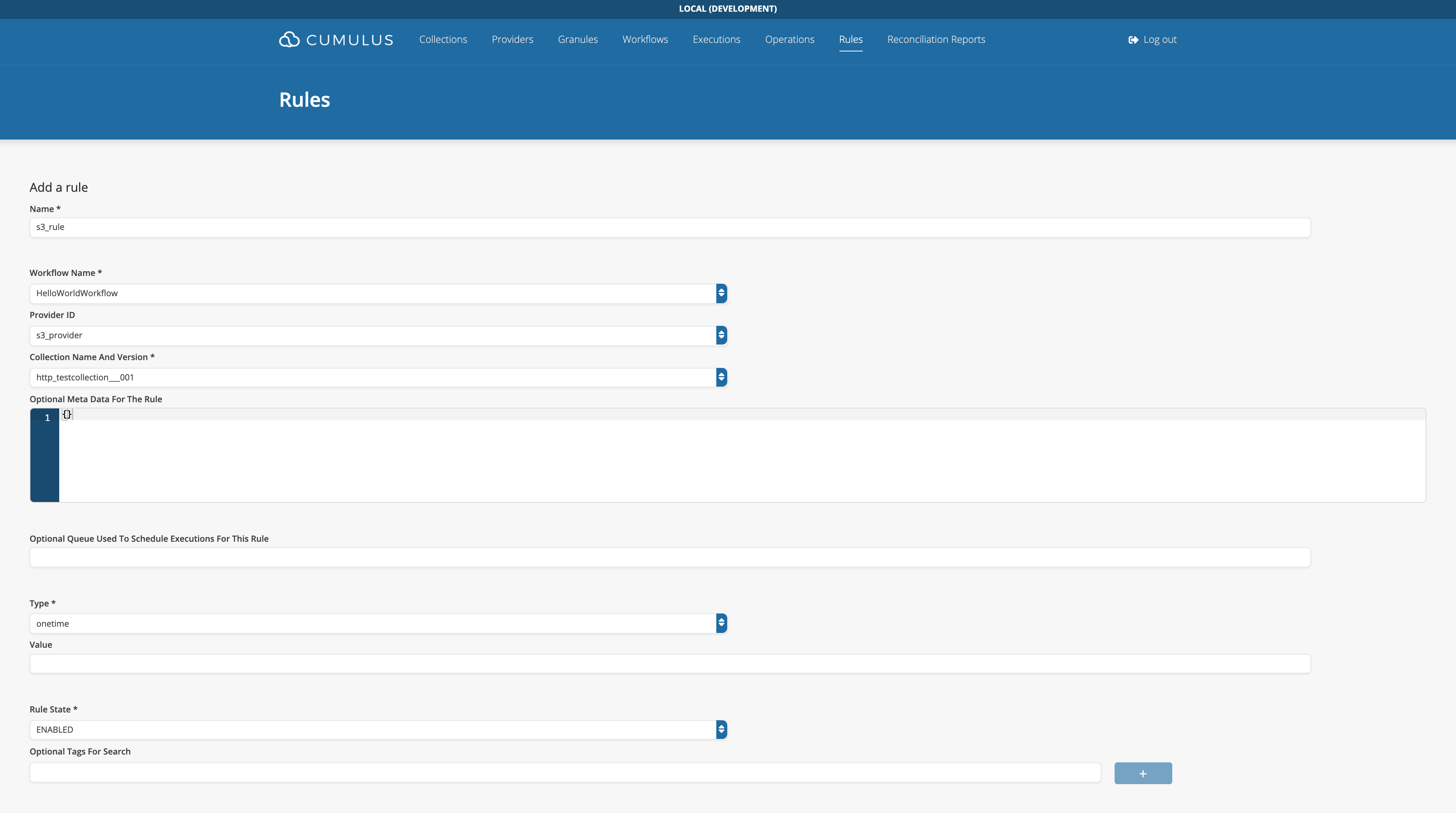
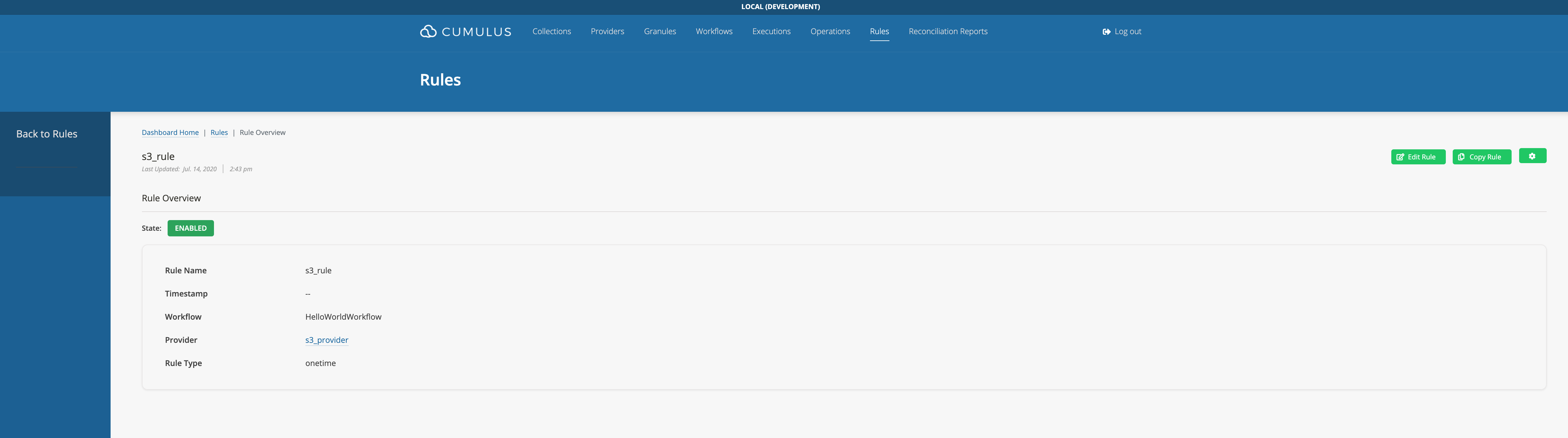
- A successfully added Rule: